



Joiner-mover-leaver (JML) is the identity governance process that changes a person's access at three moments: when they join an organization, when they move to a new role, and when they leave. A JML process grants the right access on day one, swaps access when responsibilities change, and removes all access at departure.
JML sits at the center of identity lifecycle management. IT owns the accounts. HR owns the record that says who someone is and what they do. JML is where the two meet, and where most access drift starts. Every hire, transfer, and departure could lead to an over-grant, under-grant, or access that users forget to remove. If JML is done right, the rest of identity governance gets easier: fewer findings in user access reviews, cleaner audit evidence, and new hires who can work on day one.
Joiner, mover, leaver: what happens at each stage#
Each stage starts with a change in the HR record and ends with a change in access.
Joiner. A new employee or contractor appears in the HR system. Before their start date, they need accounts and a baseline set of apps, often called birthright access: email, SSO, chat, and the tools their department uses every day. Anything beyond that baseline goes through an access request with an approval.
Mover. Someone changes department, title, manager, or location. They need the access that comes with the new role, and they need to lose the access that came with the old one. The second half is the part teams skip.
Leaver. Employment ends. Every account gets disabled, every entitlement revoked, and anything the person owned (shared drives, service accounts, AI agents) gets a new owner.
| Stage | Trigger | Access granted | Access removed | Common failure |
|---|---|---|---|---|
| Joiner | New hire record created in the HR system | Birthright access by role, department, and location; requested access after approval | None | Access arrives after day one, or IT copies a peer's access and the new hire inherits extras |
| Mover | Change to department, title, manager, or location | The new role's baseline access | Entitlements tied to the old role | Old access stays, and privilege creep builds with every move |
| Leaver | Employment status changes to terminated or inactive | None | All accounts, entitlements, sessions, and tokens; ownership of service accounts and agents transferred | Accounts in apps outside SSO stay active after the person is gone |
Why movers are the hardest#
Joiners and leavers are easy to see. A new name shows up, or a name disappears. Movers look like the same person with a new title, so nothing forces anyone to look at what they already have.
That creates three problems:
- Nobody owns the cleanup. The new manager approves new access. The old manager has moved on. No one is asked to remove the old access, so it stays.
- Access accumulates. An engineer who moves to sales engineering and then to product management can end up holding production database access, CRM admin rights, and roadmap tools at once. That buildup is privilege creep, and it breaks least privilege without anyone making a bad decision.
- Toxic combinations appear. A finance analyst who moves into accounts payable may keep the ability to create vendors and gain the ability to approve payments. That is a separation of duties conflict created by a transfer, not by a request.
Some transfers also need a grace period. A person moving teams may need old access for a two-week handoff. Without a set end date, "temporary" becomes permanent. A good mover process grants the new baseline right away, removes old access on a schedule, and sends anything left for review.
Automating JML#
Manual JML runs on tickets: HR emails IT, IT works through a checklist, and each app owner gets pinged. It breaks at scale because every step depends on someone remembering. Automated JML replaces the checklist with rules tied to the HR record: a new record starts onboarding, a role change starts a mover workflow, and a status change starts offboarding.
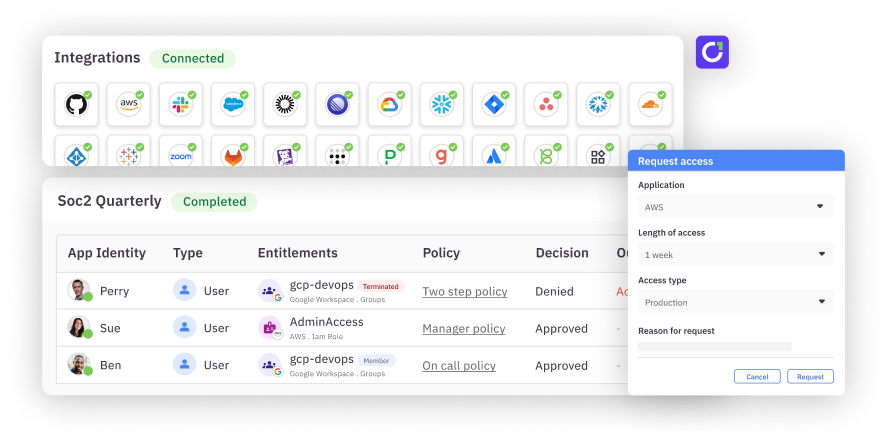
C1.ai runs JML from the HR record. Access profiles hold birthright access for each department, role, or location. When a mover stops matching one profile and starts matching another, C1.ai unenrolls them from the old profile and enrolls them in the new one, so old access comes off as new access goes on. Offboarding runs when employment status changes: C1.ai revokes access across connected systems, keeps only compliance-required access, starts a review of anything that remains, and notifies security. Each task logs who was granted or revoked what, when, and under which policy.
For a step-by-step look at building the workflow, see the joiner-mover-leaver process guide.
JML for AI agents#
AI agents have a lifecycle too, and it maps to JML.
- Join. A team creates an agent, gives it credentials, and connects it to tools and data. It needs a named owner and scoped access from the start.
- Move. The agent's job changes. It picks up new tools, new data sources, or a new team. Its old permissions should come off, the same as a human mover.
- Leave. The agent is retired, or the person who owns it leaves. Its credentials get revoked, or ownership transfers to someone accountable.
The risk is the orphaned agent: one whose owner left, with live credentials and nobody watching. Tying agents to the same lifecycle as their human owners closes that gap. C1.ai discovers human and non-human identities, links each service account, key, and agent to an accountable owner, and uses the same lifecycle automation to surface those identities for transfer when an owner leaves.
JML and compliance#
Auditors test JML directly. Common controls include:
- SOX Section 404 IT general controls: controls over access to programs and data, including evidence that access is approved when granted and removed at termination.
- HIPAA Security Rule: the workforce security standard includes termination procedures for ending access to electronic protected health information when employment ends (45 CFR 164.308(a)(3)(ii)(C), an addressable specification).
- ISO 27001:2022: Annex A 5.18 (access rights) covers granting, changing, and removing access, including when someone changes roles or leaves. Annex A 6.5 adds the security responsibilities that stay in effect after termination or a change of employment.
- NIST SP 800-53: account management (AC-2), personnel termination (PS-4), and personnel transfer (PS-5), which calls for reviewing access when someone is reassigned.
Automated JML turns these from a scramble into a report. The audit log already shows who got access, who approved it, and when it was removed.
FAQ#
What does JML stand for?#
JML stands for joiner, mover, leaver. The term names the three lifecycle events that change a person's access: joining an organization, moving to a new role, and leaving.
What is the difference between JML and identity lifecycle management?#
JML is the set of events. Identity lifecycle management is the broader discipline that includes JML plus access requests, access reviews, and policy enforcement across the life of an identity.
What is birthright access?#
Birthright access is the baseline set of apps and entitlements a person gets automatically based on attributes like department, role, and location. Anything beyond it goes through an access request.
How fast should access be removed when someone leaves?#
As soon as employment status changes in the HR system. Auditors look for terminated users who kept access after their termination date, so the gap between the HR change and access removal is what gets tested.
Does JML apply to contractors and AI agents?#
Yes. Contractors join, change engagements, and leave like employees, often with less HR visibility. AI agents and service accounts need owners, scoped access, and a retirement process tied to the same lifecycle.
What is JML automation software?#
JML automation software connects to the HR system and to downstream apps, then grants, changes, and removes access when the HR record changes. C1.ai automates JML with HR-driven triggers, birthright access profiles, automatic mover cleanup, and offboarding across connected systems.