



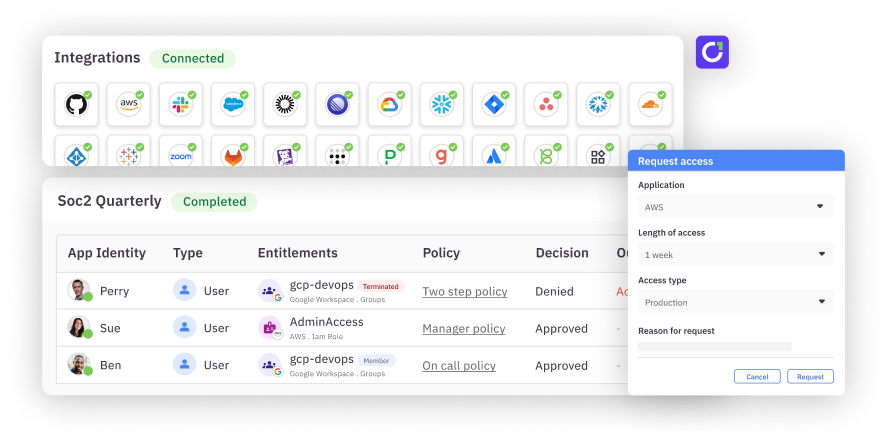
A user access review (UAR) is a check of who has access to which systems and data, and whether they still need it. Reviewers decide which access to keep, remove or investigate, and the organization carries out those decisions and keeps evidence of what changed.
User access reviews are part of identity governance and administration (IGA). Most reviews start with employees and contractors, including permissions inherited through groups. The same check applies to non-human identities such as service accounts and AI agents, which often hold broad, long-lived access without a clear owner. An access request asks for new access; a review checks whether existing access is still appropriate.
Why are user access reviews important?#
Access can outlast the reason it was granted. An employee changes departments (see the joiner-mover-leaver process), a contractor finishes a project or an administrator retains permissions from a temporary assignment. Reviewing those grants helps teams identify access that no longer serves a business need and apply least privilege.
Reviews also create a record of accountability: who evaluated access, what they decided and whether the resulting changes happened. That evidence can support security controls and audit work. The obligations they support depend on the systems and standards in scope.
A manager may understand an employee's responsibilities, while an application owner understands what a permission allows. A good process brings those perspectives together rather than asking either person to approve an unexplained entitlement name.
What types of access reviews exist?#
Some review types describe when a review happens; others describe what it covers. They can overlap: a periodic campaign might review privileged access within one application.
| Review type | What it means | Example |
|---|---|---|
| Periodic | Runs on an established schedule | Reviewing access to financial reporting applications at the interval set by policy |
| Event-driven | Responds to a relevant change | Checking an employee's existing grants after a department transfer |
| Privileged | Focuses on elevated permissions | Reviewing production administrator roles |
| Application-level | Covers access within a particular application | Asking a finance application owner to review its users and entitlements |
An event-driven review is different from just-in-time (JIT) access. The first reassesses permissions after a trigger; the second limits when access is available. Organizations may use both.
How does a user access review work?#
Define the review's boundaries before asking anyone to approve access. Specify the applications, identities and entitlements involved, along with the data collection date, deadline and escalation process.
| Stage | Accountable party | Output |
|---|---|---|
| 1. Scope and inventory | Review owner, with IT and application owners | Applications, identities and permissions in scope; source systems, collection dates and known gaps |
| 2. Assign reviewers and context | Review owner | Named reviewers with authority and information on roles, business purpose, permissions and relevant usage |
| 3. Evaluate and decide | Assigned reviewer, consulting resource owners | Retain, remove or investigate decisions, with rationale and timestamps |
| 4. Execute and verify changes | IT or the owner of the system controlling the grant | Confirmed access changes, or tracked manual tasks, failed actions and approved exceptions |
| 5. Retain evidence and follow up | Review owner, with the control owner | Scope, reviewer, decision and execution records, plus owners and dates for outstanding work |
For an illustrative example, an employee moves from finance to marketing but retains administrator access to an expense system. Their manager understands the new role; the finance application owner confirms that the administrator entitlement is no longer needed. The reviewer records a remove decision.
IT or the application owner then carries out the change and checks the resulting permissions. If a group supplies the entitlement, identify that access path and consider what else a membership change would affect. Removing one grant may leave another path to the same access.
A recorded revoke decision does not prove removal. When a change cannot be completed, assign an owner and follow-up date, track the open action and document any approved exception. Preserve the evidence of the eventual outcome alongside the decision.
What makes access reviews difficult?#
Stale or incomplete data can turn a careful decision into the wrong action. Check collection dates, missing permissions and material changes before remediation. Last login is one signal, not proof that access is unnecessary: an infrequently used emergency role may still have a valid purpose.
When decisions travel by spreadsheet, the handoff needs an owner and tracking reference for each action. Control versions and reconcile the final result against the system of record so an approved removal does not disappear between teams.
Reviewers also need someone to ask when ownership or permission details are unclear. Name an escalation contact before the campaign starts so uncertainty can be investigated.
Too many unexplained grants invite rubber-stamping, the same "consent fatigue" NIST warns about when people approve agent actions out of habit. Keep review scopes manageable and permission descriptions readable, with enough context to assess sensitive access. For more process guidance, use the user access review best practices guide, and the UAR maturity model to see how programs progress.
How should teams review AI agents and service accounts?#
Start with the workload's purpose (see agentic identity governance), its accountable human owner and the identities and permissions it uses. An AI agent, its service account and its credentials are distinct things, and NIST's proposed design tenets for agent identity management recommend that agents have identities and lifecycles separate from human users and service accounts. One agent may use several identities, and several workloads may share an account, so inventory the actual access paths before making changes.
Consider an invoice-processing agent that needs to read invoices but has unrelated write access to a finance resource. The accountable owner and resource owner check the agent's current task, the service identity it uses and the permissions on that resource. They decide to remove the unrelated write permission, carry out the change and confirm that invoice processing still works.
Record the decision and result, along with any dependencies or unresolved access. Reassess permissions when the task changes, ownership transfers or the workload is retired. Document gaps where the team cannot identify an owner or verify permissions; an incomplete inventory should not become an implied approval.
Reviews assess whether access remains justified; runtime monitoring and credential rotation address behavior and credential lifecycle. This process does not assume that a review tool can discover every agent, credential or permission.
How often should user access reviews happen?#
Set a documented cadence based on access risk, applicable requirements and control commitments. A team might, for example, choose quarterly reviews for high-risk privileged access as its own policy, rather than a universal legal minimum.
Scheduled reviews can be supplemented by triggers such as role changes, incidents, ownership changes or workload retirement. Event-driven reviews do not automatically replace an applicable scheduled obligation. NIST AC-2, reproduced in its federal PKI overlay, for example, uses an organization-defined account review frequency when that control is adopted.
What do regulations and standards require?#
Confirm assessment scope and applicability with your governance, risk and compliance team.
| Requirement or framework | What it means for access reviews |
|---|---|
| SOX | Section 404 concerns management's assessment of internal control over financial reporting. Access reviews can support relevant controls; the SEC's risk-based guidance does not establish a universal review interval. |
| SOC 2 | SOC 2 is an examination of controls at a service organization, not legislation. Reviews can support access governance; align the control and its timing with scope, commitments and auditor expectations. See the AICPA SOC overview. |
| HIPAA | For covered entities and business associates subject to the Security Rule, the HHS audit protocol addresses establishing, documenting, reviewing and modifying access rights. The specification is addressable, which does not mean optional, and does not set a quarterly campaign schedule. |
| ISO/IEC 27001 | This information security management system standard provides the context for an organization's selected controls and documented approach. Consult the applicable standard and controls when setting review scope and cadence. |
Some standards distinguish account types. In the PCI Security Standards Council's v4.0 SAQ D, requirement 7.2.4 calls for reviewing in-scope user accounts and related privileges, including applicable third parties, at least every six months. Requirement 7.2.5.1 sets the application and system account review frequency through a targeted risk analysis.
PCI SSC states that v4.0.1 introduced no new or deleted requirements. Confirm current wording and applicability with your assessor. Account types can require different review schedules. PCI DSS does not apply to every system.
How does C1.ai help automate user access reviews?#
Automation can help organize campaigns, deliver tasks to reviewers and connect decisions to follow-up actions. Evaluate the full process, including what happens when a connector cannot execute a change or a grant comes from another system.
According to its user access review automation page, C1.ai, formerly ConductorOne, lets teams scope campaigns, route tasks to reviewers with peer, usage and risk context, and carry decisions into supported remediation with status and evidence for follow-up. Connecting these stages can reduce disconnected handoffs between a reviewer and the team responsible for the change. Execution depends on integration support and configuration, so confirm the action path for your applications, including how manual tasks and failures are tracked.
Use the user access review template to define your process, and the user access review software guide to evaluate tooling against it.
Frequently asked questions#
Who is responsible for a user access review?#
A review owner organizes the campaign and follows up on outstanding work. Managers can judge whether access fits a person's role, while application or entitlement owners can explain what a permission allows. The appropriate reviewer depends on the access and the organization's controls.
Is a user access review the same as an access certification?#
The terms often overlap. A review assesses whether access remains appropriate; certification commonly refers to the reviewer's recorded attestation. Organizations and tools may use the terms differently.
Does just-in-time access eliminate the need for reviews?#
No. Time-limited access reduces how long a grant remains active, but teams may still need to review who is eligible for it, the permissions available and any standing access. The review scope depends on the organization's risks and obligations.
How do you know access was removed after a review?#
Track the removal to the system or owner that controls the grant, then verify the resulting effective access. Check for other paths, such as group membership, and record any failed action or approved exception with an owner and follow-up date.
Explore C1.ai user access review automation to see how campaign management and supported remediation fit your review process.