



Least privilege is the security principle of giving a person, application, or process only the access needed to perform its task. It limits which resources an identity can reach and what it can do with them. Permissions should remain justified as responsibilities change, with time limits where appropriate.
A customer support employee may need to read a customer's order history to resolve a delivery problem. That does not mean they need permission to export every customer's records, change payment details, or administer the support platform.
The principle of least privilege applies to software as well as people: each identity receives the resources and permissions its function requires.
Why least privilege matters#
Every unnecessary permission creates another way an account can be misused. If the support employee's account is compromised, permission to export all customer records gives an attacker a capability that resolving delivery problems never required. Excess access also makes ordinary mistakes more consequential, such as accidentally modifying production data while investigating a customer issue.
Least privilege can limit the impact of a compromise by reducing what an account can reach or change. It cannot prevent every breach or contain every attack, but fewer unnecessary permissions mean fewer opportunities to misuse that account.
People change teams, projects end, and temporary responsibilities become forgotten permissions. This accumulation is often called privilege creep. An account that started with a sensible set of permissions can eventually hold access nobody would approve for its current purpose. Keeping access appropriate means revisiting permissions as roles and projects change, removing what is no longer needed and granting more when work calls for it.
What least privilege looks like in practice#
A useful access decision connects four things: the identity receiving access, the resource it needs, the actions it can take, and how long the need lasts.
Consider an engineer investigating an error in a production database. Reading a relevant table may be sufficient. Permission to modify every table or administer the database would need a separate justification. If the access is needed only for the investigation, it can have a defined end time.
Duration matters, but least privilege does not require every permission to expire after a few hours. A support employee may continuously need access to the support platform. That standing access can follow least privilege when its scope matches the job and remains subject to review. Temporary elevated access deserves different treatment from ordinary access needed every day.
Authentication and authorization also serve different purposes. Authentication establishes who or what is signing in. Authorization determines what that identity may do. Multifactor authentication can strengthen a sign-in process, but it does not narrow an administrator role. An authenticated person can still have far more access than their work requires.
How to put least privilege into practice#
Understand the access people actually have#
Start with the access that would cause the most harm if misused, such as production administration or permissions to export sensitive data. Identify who has it, how they received it, what it enables, and who can judge whether it is necessary.
Look beyond direct assignments. A person may inherit permissions through groups, roles, or nested memberships. Removing a direct grant will not solve the problem if another group still provides the same access. Understanding these paths helps a reviewer assess effective access: what the identity can actually do.
Assign ownership to the resource or permission set. A manager may understand an employee's responsibilities, while an application owner understands what a particular role allows. Good decisions may need both perspectives.
Design roles around actual work#
Role-based access control groups permissions into roles that can be assigned to people with similar responsibilities. It can make access easier to manage, but a role named “Support” or “Engineer” is not automatically least privileged. Its contents determine whether it is appropriate.
Build baseline roles around recurring duties. Keep elevated permissions separate so that joining a team does not automatically grant administrative access. For example, a production support role might allow engineers to view diagnostic information, while database changes require a separately approved role.
Review both role membership and role contents. Removing someone from an overbroad role fixes one person's access; narrowing the role can address excess access for everyone who holds it. Handle unusual needs as explicit exceptions instead of expanding a common role to cover every possible task.
This is also a usability decision. If a role is too narrow for routine work, people repeatedly need exceptions. If it includes every permission anyone on the team has ever needed, everyone inherits unnecessary access. Revisit that balance as the work changes.
Make access reviews lead to completed changes#
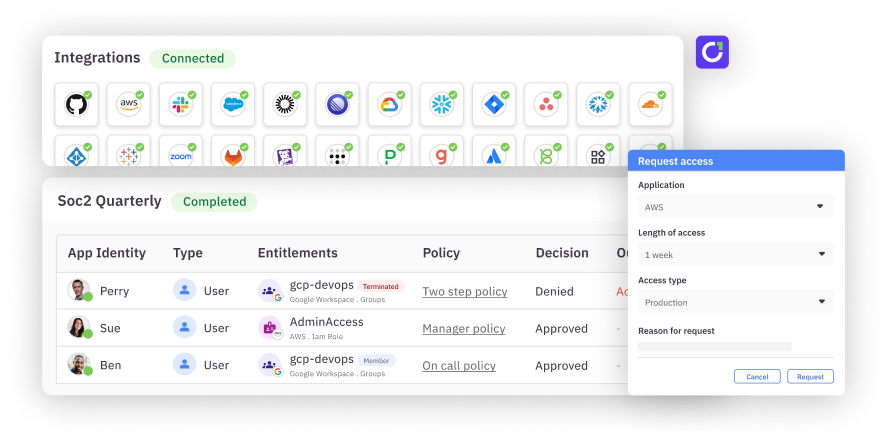
User access reviews ask knowledgeable reviewers to determine whether existing permissions are still appropriate. Give reviewers enough context to decide: the identity, its current responsibilities, the permission's scope, the reason for access, and relevant usage information.
Unused access is worth investigating, but inactivity alone does not prove that access is unnecessary. An infrequent financial process or emergency duty may still justify a permission. The reviewer should establish the need, rather than simply approve everything that was recently used or remove everything that was not.
A “remove” decision is only the beginning of remediation. Someone or something must execute the change, check whether it succeeded, and resolve failures or remaining access paths. Keep the decision and completion evidence together so a closed review reflects what changed in the application.
Review access when people move teams or leave, as well as on a schedule suited to the risk. NIST's least privilege review control, AC-6(7), calls for an organization-defined review frequency and reassignment or removal where necessary.
Use just-in-time access for temporary needs#
Just-in-time access gives an identity access when it needs it, for a defined period. It is particularly useful for sensitive permissions that people use intermittently.
An engineer responding to a cloud incident might request an elevated role for an hour, explaining which environment needs attention. The workflow applies the required approval policy, provisions the scoped access, and removes it at expiration. The team should verify that removal occurred and have a process for failed revocations or work that needs an extension.
Even for an hour, an unrestricted administrator role grants broad powers. Choose the narrowest role that supports the task, then set a duration appropriate to the need.
Plan emergency access too. Recovery should not depend on a request path that becomes unavailable during the incident it is meant to address. Establish who can use emergency access, how its use is recorded, and how the permissions are reviewed afterward.
Least privilege for service accounts and AI agents#
The same principle applies to software acting on an organization's behalf. A service account running a reporting job may need to read selected data, without permission to change the source system or manage other accounts.
For an AI billing agent, define the actual task before granting access. An agent that answers questions about selected invoices should not receive finance-wide write permissions. Identify the tools it can call, the records it can reach, and the actions those tools permit. Reading an invoice and issuing a refund are different authorizations.
Give the account or agent an accountable human owner who can explain its purpose and review its access when that purpose changes. Retire permissions when the workflow is retired. An API key is a credential used to authenticate; it is not a substitute for identifying the account or application and examining its permissions. Rotating that key does not, by itself, reduce what the account can do.
Frequently asked questions#
What is an example of least privilege?#
A support employee can view the customer records needed to resolve a ticket but cannot export all records or change payment details. The permissions match the work without adding unrelated capabilities.
How does least privilege differ from zero trust?#
Least privilege governs how much access an identity receives. Zero trust is a broader security approach that rejects implicit trust based solely on network location or asset ownership; least privilege helps constrain authorization within that approach.
How do access reviews support least privilege?#
Access reviews help resource owners and managers identify permissions that are no longer justified. They support least privilege when decisions lead to verified changes, including removal of unnecessary access and correction of overly broad roles.
How does just-in-time access support least privilege?#
Just-in-time access limits how long an identity holds a permission by providing access for a defined need and period. It works alongside scope restrictions and reviews; appropriate standing access can still follow least privilege.
What is zero standing privilege?#
Zero standing privilege is the goal of eliminating persistent privileged access within a defined scope, often using just-in-time grants. It does not mean removing all ordinary baseline access, and organizations still need to plan for emergency access and exceptions.
How does least privilege apply to AI agents?#
An AI agent should receive only the tool, data, and action permissions needed for its assigned task. An accountable owner should review those permissions as the agent's purpose changes and remove access when it is no longer needed.
Put least privilege into everyday access decisions#
C1.ai helps teams connect access information, route review decisions, and manage time-bound access requests. C1 Comply supports access reviews and remediation, while C1's JIT access capabilities support temporary access for supported integrations. The connector and configured workflow determine how grants and removals happen, including where a manual workflow is needed.
In C1's Ramp customer story, Ramp reports a 95% reduction in IT effort processing access-request tickets.
Explore least privilege access with C1.ai.