



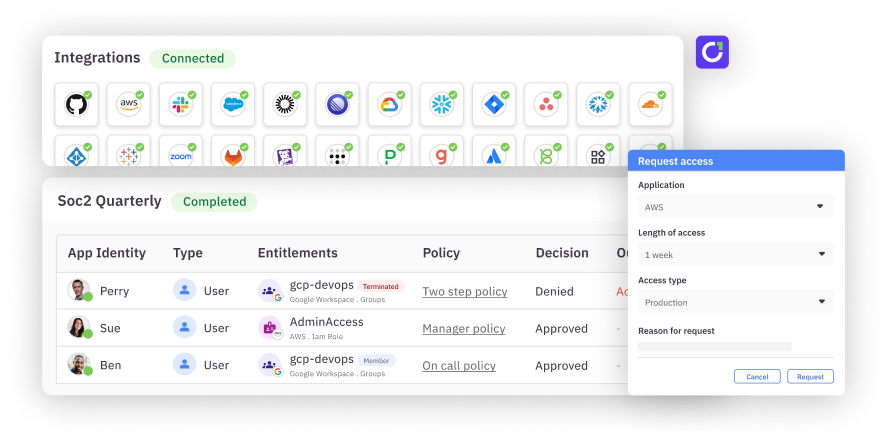
Your identity landscape is more diverse and complicated than ever#
Lightning-fast AI agents and finicky SaaS applications now sit side by side, each with their own accounts, roles, and permissions to govern.
Every system exposes identity data differently, and integration is often the hardest part.
Well-integrated SaaS apps offer REST APIs and SCIM. Homegrown tools store users in SQL databases. Some systems only export a CSV. And older apps and niche portals often have no identity API at all, with user and access data locked behind a browser login.
An identity governance and administration (IGA) platform needs a way to connect to every kind of app and normalize every account, role, and permission into a single data model.
Apps without identity APIs#
Apps without identity APIs are often called disconnected apps. With no identity API, their user and access data is visible only in an admin UI behind a browser login, so someone on the team has to sign in personally whenever an audit, access review, or investigation occurs.
Consider a mid-sized credit union with hundreds of applications, many of them small web portals purchased by individual departments. One is a loan-servicing portal the lending team adopted in 2006. Staff log in daily, but the portal has no identity API, no SCIM, and no SSO: only a username-and-password login page. Auditors still expect the credit union to show who has access to the portal, so every quarter, someone exports the portal's user list by hand and follows up with managers to certify each user's access.
How does an identity team keep that portal in scope for identity governance without having to manually login time after time?
Baton RPA: Govern apps without an API#
Baton RPA is a browser automation connector that brings apps with no identity API into C1.ai. Using a dedicated service account, Baton RPA signs in to the app's web UI (including password, SSO, and TOTP-based MFA flows), reads accounts, groups, roles, and their entitlements, and syncs that data into C1.ai, alongside every other connected app.
Baton RPA is available as both a cloud-hosted and a self-hosted connector. See the Baton RPA docs for setup details.
Unified data model. Access data from Baton RPA arrives in C1.ai in the same format as data from a prebuilt connector, so you can review, report on, and investigate access across every app from a single view, with no blind spots.
Run it your way. Let C1.ai host the connector, with the browser running on Amazon Bedrock AgentCore. Alternatively, self-host the connector on Kubernetes in your own environment.
Least privilege by default. Baton RPA signs in as a dedicated service account with read-only access to view the app's users, groups, and roles pages. Cloud-hosted connectors store credentials encrypted in C1.ai.
How Baton RPA works#
- Create a service account. Set up a dedicated account in the app with read access to its admin pages.
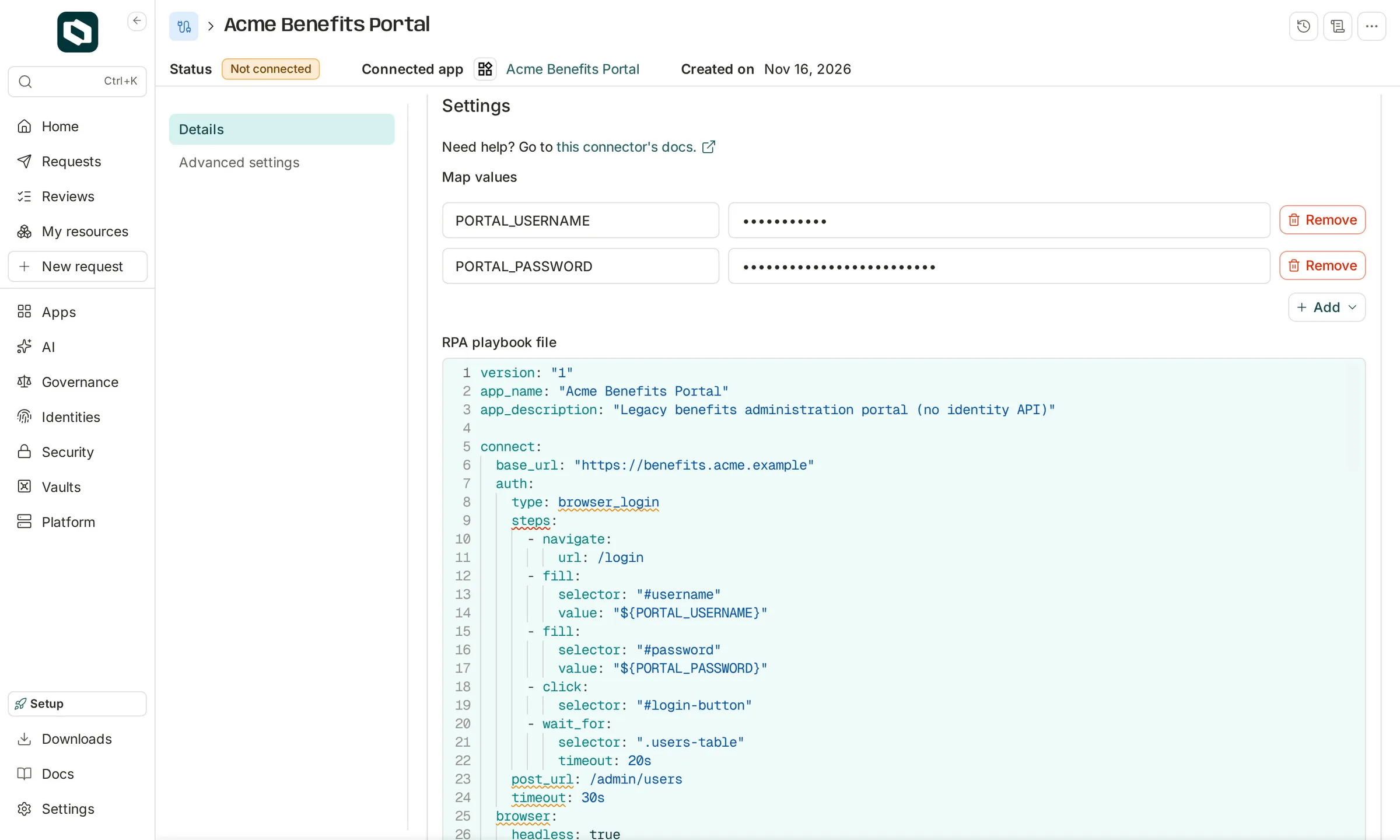
- Write the playbook. A YAML playbook tells Baton RPA how to sign in and which data to read. Each app gets its own playbook. Write the playbook by hand, or use the Baton RPA Model Context Protocol (MCP) server to have an AI coding agent build and test one for you. You sign in to the app yourself, so the agent never sees your credentials.
- Add the connector. In C1.ai, add the Baton RPA connector, upload the playbook, and enter the service account's credentials.
- Sync. On a regular schedule, Baton RPA signs in, reads the access data, and syncs the data into C1.ai.
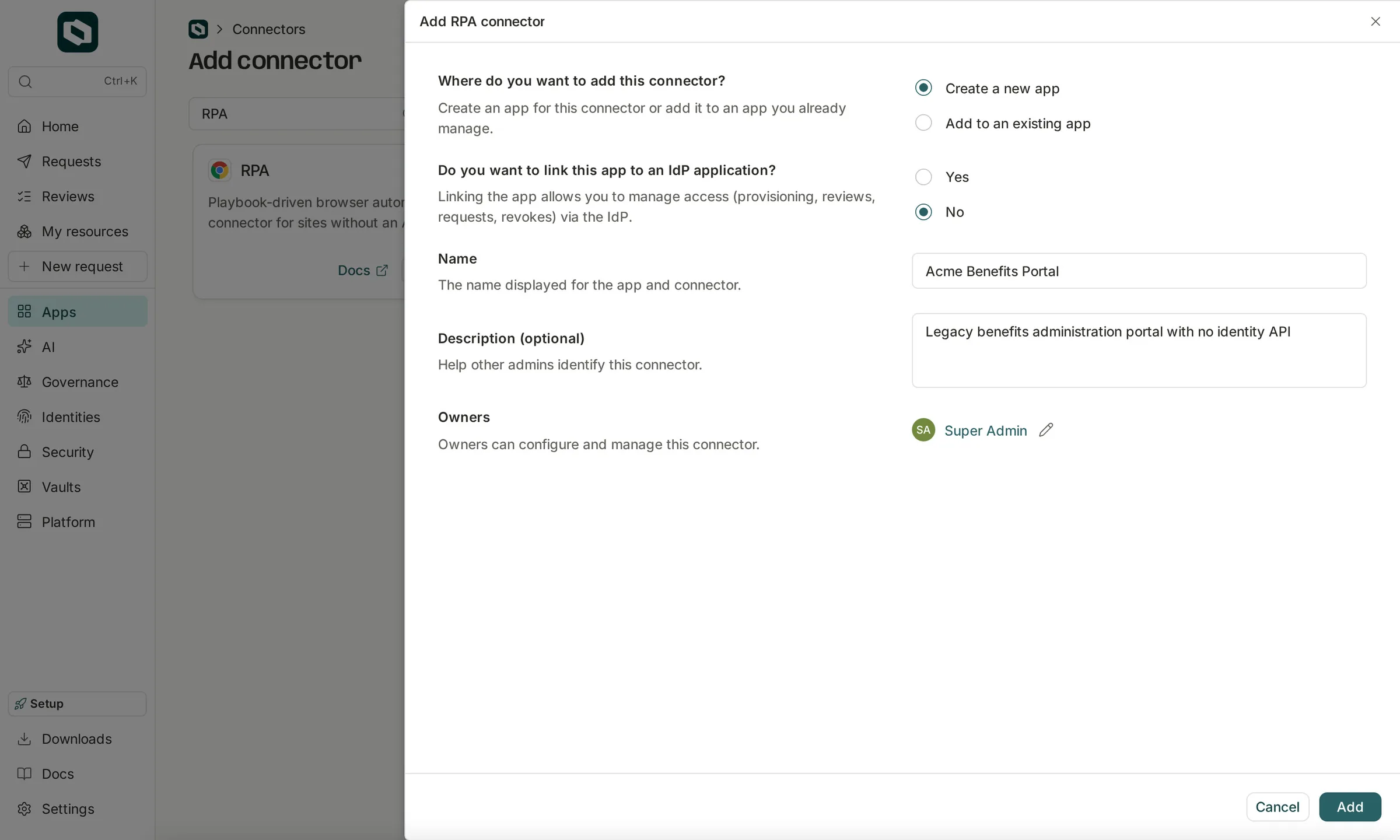
Adding the connector takes one dialog: name the app, choose whether to link it to an IdP application, and assign owners.
Then map the service account's credentials to the variables your playbook references, and paste in the playbook.
One platform, many ways to connect#
Baton RPA is the newest addition to the broader set of C1.ai connectors.
With C1.ai, teams can deploy 400+ prebuilt connectors out of the box, then fill the gaps in several ways: use AI to build connectors for apps with an API, configure connectors for databases and SCIM apps, import CSV exports, or connect apps that only have a web UI with Baton RPA.
The C1.ai connection guide lays out every option:
| How the app works | How C1.ai connects | What you provide |
|---|---|---|
| A pre-built connector exists | Pre-built connectors, maintained by C1.ai | Credentials |
| Has a REST API | C1AI custom connectors (early access) or HTTP authoring | API documentation and read-only credentials, or a YAML configuration |
| Is a SQL database | SQL authoring | A YAML configuration |
| Supports SCIM | SCIM authoring | A service provider name or a YAML configuration |
| Has no API, but data can be exported | File connectors | A file or an external data source |
| Has no API, only a web UI | Baton RPA (new) | A YAML playbook |
| None of the above fit | The Baton SDK, for fully custom connectors | Go code |
Every option feeds the same data model. Accounts, groups, roles, and access show up in C1.ai the same way, so they're included in the same access reviews, reports, and investigations.
Reach complete coverage in days or weeks, not months#
Whatever you're running now, and whatever comes next, C1.ai brings all your access data into one platform for complete visibility.
FAQ#
How does C1.ai connect to applications? C1.ai offers 400+ prebuilt connectors. For apps without a prebuilt connector, C1.ai also offers AI-built custom connectors for REST APIs; configuration-driven connectors for HTTP APIs, SQL databases, and SCIM; file connectors for data exports; Baton RPA for apps with only a web UI; and the Baton SDK for fully custom connectors.
Why does connecting every app matter? An app that isn't connected falls out of access reviews and offboarding, and orphaned accounts and standing privileges accumulate in those gaps. Connecting every app gives you one view of who has access to what.
What is Baton RPA? Baton RPA is a browser automation connector from C1.ai that brings web apps with no identity API into C1.ai. Following a declarative YAML playbook, Baton RPA reads access data from the app's own admin UI.
Can Baton RPA grant or revoke access? No. Baton RPA is read-only. The connector reads access data so you can review and track that access in C1.ai, but Baton RPA doesn't provision or deprovision accounts.
Where does Baton RPA run? Either cloud-hosted by C1.ai, using a browser on Amazon Bedrock AgentCore, or self-hosted on Kubernetes in your own environment.