




AWS recently introduced a single place to assign AWS IAM roles to IAM Identity Center users and groups, whether synced from a corporate IdP or created in Identity Center's native directory.
C1.ai now integrates with AWS IAM Account Access Manager, helping security and IT teams see, provision, govern, and review AWS access from one platform. The result is faster access for employees, less manual work for administrators, and fewer standing privileges to manage.
What is AWS IAM Account Access Manager?#
AWS IAM Account Access Manager connects with IAM Identity Center, where organizations can sync workforce identities from an existing directory or manage them directly. AWS IAM Account Access Manager then links those users and groups to IAM roles already provisioned across AWS accounts.
This approach lets teams assign AWS access without replacing their IAM role structure or existing provisioning automation. Instead of coordinating several AWS APIs, administrators can manage role assignments through a single interface. AWS IAM Account Access Manager supports up to 50,000 accounts and 5,000 roles per account, along with the full IAM role feature set, including role tags.
Govern AWS IAM Account Access Manager access alongside the rest of your environment#
C1.ai already connects with IAM Identity Center to sync users, groups, permission sets, and account assignments. The new AWS IAM Account Access Manager integration extends that visibility to IAM roles assigned through AWS IAM Account Access Manager.
Whether your organization uses AWS IAM Account Access Manager, IAM Identity Center permission sets, or a mix across different AWS accounts, C1.ai brings the access data together in one place. Teams can understand who has access, how that access was granted, and what needs attention without switching between separate workflows.
Provision AWS access just in time#
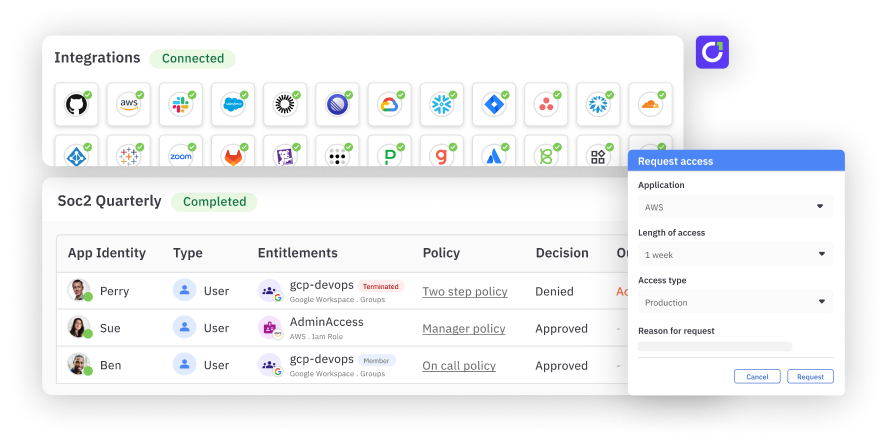
With bidirectional just-in-time (JIT) provisioning, employees can request time-bound access to an AWS account or IAM role through C1.ai. An approver or policy evaluates the request, and C1.ai provisions approved access directly through AWS IAM Account Access Manager. When the grant expires, C1.ai revokes it automatically.
That means employees get the access they need without waiting on a manual ticket, while security teams can reduce standing privileges and avoid cleanup work after temporary access is no longer required.
Review AWS role assignments in existing campaigns#
AWS IAM Account Access Manager identities and role assignments flow into C1.ai access review campaigns alongside other access data. Reviewers can confirm who should be able to assume an AWS role without learning a separate process or determining whether the assignment came from AWS IAM Account Access Manager or an IAM Identity Center permission set.
The same campaigns, evidence, and audit workflows apply across AWS access.
See AWS access in context#
AWS IAM Account Access Manager-synced roles become part of C1.ai's identity graph. Each person's AWS access appears alongside their access to SaaS applications, other cloud platforms, and on-premises infrastructure.
This context makes it easier to answer questions such as:
- Who can access this AWS account or assume this role?
- Does this person still need the access?
- Is the role ownerless, orphaned, or associated with risky access?
- Which policy should govern future requests?
C1.ai's detection engine surfaces AWS IAM Account Access Manager-assigned roles that are unowned, orphaned, or otherwise risky. Teams can then apply the same identity-aware access policies they use across the rest of their environment.
Manage AWS access with less manual work#
The C1.ai integration with AWS IAM Account Access Manager gives teams one place to:
- See users, groups, IAM roles, and account assignments across AWS
- Provision time-bound access through approval and policy-based workflows
- Automatically revoke access when a grant expires
- Review AWS role assignments through existing access campaigns
- Detect risky, orphaned, or unowned access in context
The result is a more consistent way to govern AWS access—without rebuilding IAM roles, adding a separate review process, or relying on manual cleanup.
Want to learn more?#
Curious how this would work in your environment? Request a demo and someone from C1.ai will get in touch to learn about your setup, understand what you're trying to solve, and walk through how we can help.