

The C1 application
The C1 application contains current data on user access to C1 and user permissions within C1. It lets you review and manage access to C1 … with C1. It’s more than a bit self-referential, true, but we promise it’s useful. You’ll find the C1 app on the Apps page’s Managed apps tab. Note that it’s the one with the purple icon.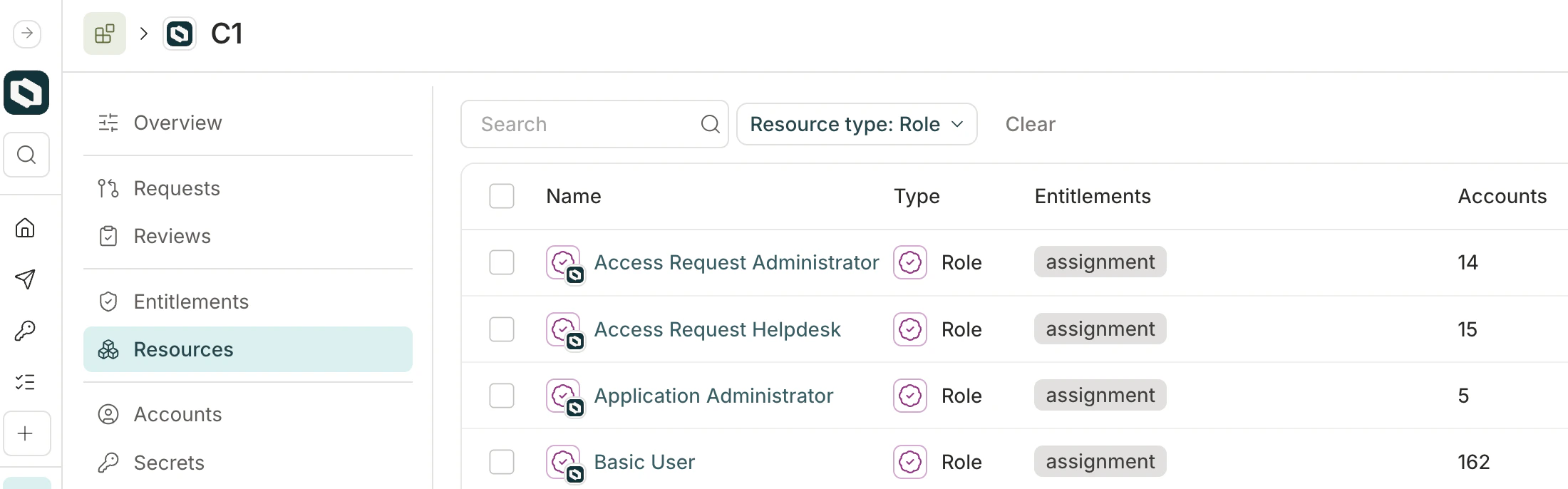
What can I do with the C1 app?
Key uses for the C1 app include:- Review C1 user roles in an access review campaign. C1 user roles are shown as roles in the C1 app. You can add these roles to an access review campaign to audit whether C1 users have the appropriate level of permissions in the app.
- Allow users to request new C1 roles. You can add C1 user roles to access profiles, allowing users to request new permissions in C1. You cannot set app-level access configuration rules on the C1 app, but you can configure access request settings on an individual entitlement.
- Manage users’ enrollment in access profiles. Access profiles are a resource type in the C1 app. Grant users the enrollment entitlement to give them access to the access profile and all its associated access.
- Review enrollment in access profiles in an access review campaign. Use an access review campaign to periodically review which users are enrolled in an access profile.
What are the limitations of the C1 app?
Because of the special, self-referential nature of the C1 app, it lacks some functionality that’s present on all other apps:- You cannot rename the C1 app or its roles. You can rename C1 groups and access profiles.
- You cannot change C1 app’s icon.
- The C1 app does not support linked entitlements.
- You cannot bind entitlements in the C1 app to entitlements in other apps.
- There are no provisioning settings for the C1 app’s entitlements, as provisioning and deprovisioning is completed by C1 itself.