C1 vs. RunLayer
Everything RunLayer does at the MCP layer — plus the identity and lifecycle controls it can't.
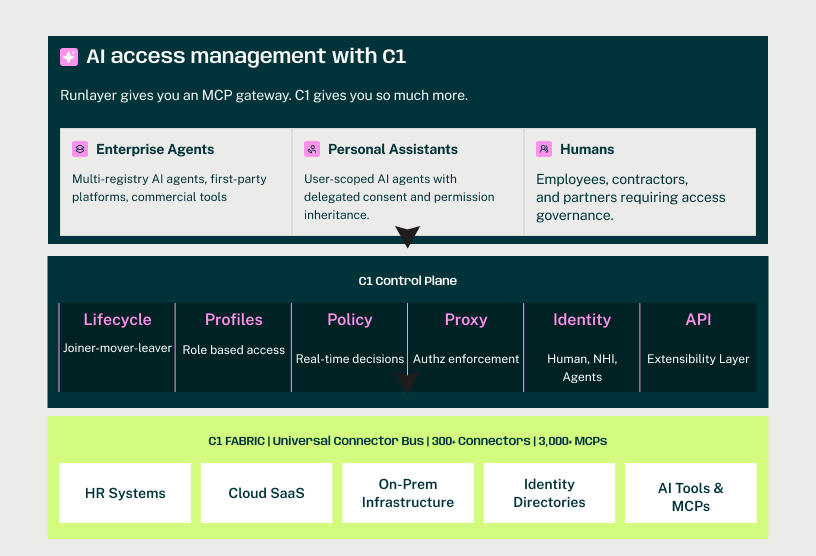
RunLayer locks down MCP tool calls. C1 does that and governs who gets access to those tools, what they're allowed to do, and when access ends.
Ask AI to write a summary of this post









See how C1 compares to RunLayer

Top 5 reasons leaders choose C1 over RunLayer
Time to value
“The biggest ROI we have seen is in time. We have communicated to leadership and management our estimates and I'm very confident that the tool pays for itself.”


Roberto Mateo, VP of It Business Operations
Full visibility and control
“A huge win for me is the overall visibility. I don't have to log into ten different places to figure out who has access to what – I can just go to C1.”


Paul Yoo, Head of Security Platform
Simple, intuitive design
“One day you requested AWS access through IT tickets. The next day you didn't. We didn't have to roll it out in stages — just a clean cutover.”


Stephen Darling, Staff Infrastructure Engineer
Committed to innovation
“None of the other options in the market were simple for us. C1 was incredibly inquisitive, collaborative, iterative, and innovative.”


Tim Lisko, Director of Product and Infrastructure Security
Real security impact
“We've appreciably improved our security posture without spending a bunch of time and money, which is a huge benefit for our customers.”


Matthew Sullivan, Infrastructure Security Team Leader
Why C1 over RunLayer
What a RunLayer evaluator gets with C1
MCP controls with the identity layer underneath
RunLayer scopes tool calls. C1 scopes tool calls and answers: who is this agent? Who owns it? What's it allowed to access? When does that access expire? Every tool call is mediated through a policy-aware proxy with full identity context.
Access in seconds, governed from day one
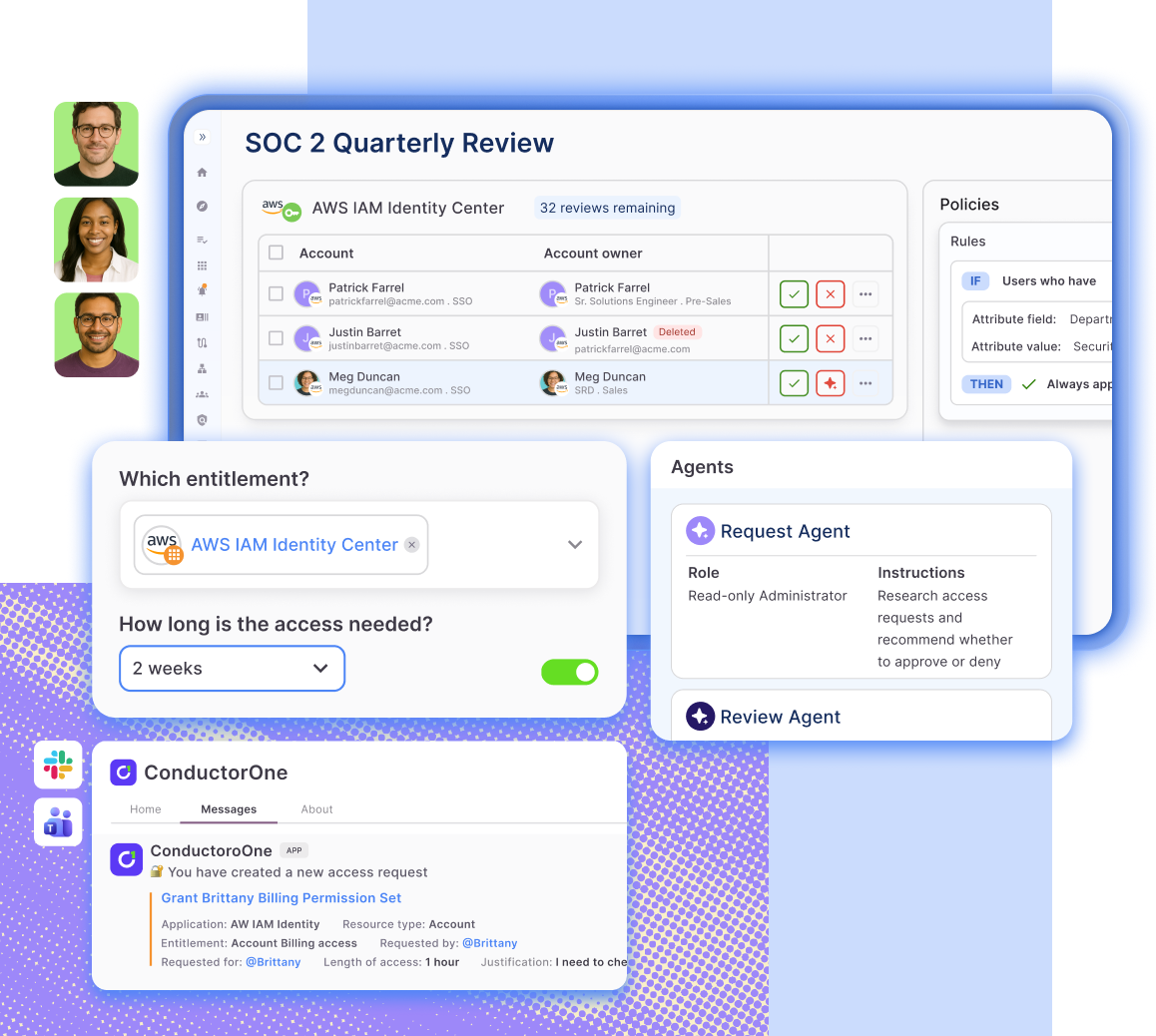
End users request access to AI tools through self-service. Policies auto-approve what's safe — no tickets, no waiting. Sensitive tools route to the right approver. Access is time-bound by default. The fastest path to AI is the safest path.
One platform for agents, humans, and everything they touch
C1 governs the AI layer and the 300+ enterprise applications behind it. When an agent needs GitHub access and a human needs Salesforce access, it's the same provisioning engine, the same policies, the same audit trail. No stitching together point solutions.
Compliance evidence without extra work
Every tool call, every approval, every access change — logged with full identity context. Extend existing access review workflows to cover AI tools alongside SaaS apps. Compliance reporting and evidence generation built in.