
How to Build an Effective Identity Access Management Strategy: Key Methodologies and Frameworks



IAM programs rarely start with a blueprint. They usually pile up through small, reactive decisions:
- Someone writes a policy to satisfy an auditor
- IT buys a tool to handle a new compliance requirement
- HR and security split ownership of onboarding access
- A shared spreadsheet becomes the system of record for reviews
None of those moves is wrong on its own. But stack enough of them, and you end up with a program that no one can fully map or manage.
What's worse is that this kind of reactive buildup is the norm. A 2025 Ponemon Institute survey of 625 IT professionals found that only half rate their IAM tools and investments as effective.
The missing piece is almost always a structured strategy behind those investments. This guide covers the key methodologies and frameworks that help you build one.
What is an IAM strategy?#
An IAM strategy is a structured plan that defines how your organization manages identities, controls access, and governs permissions across every system, application, and environment. It exists above your individual tools and policies, connecting them into a program that works as a whole.
In practice, a complete IAM strategy spans several areas. Each one needs a clear owner, a defined process, and documented standards:
- Identity lifecycle management → Covers what happens when someone joins, moves within, or leaves the organization. For example, when a contractor's engagement ends, your strategy defines who triggers deprovisioning, how quickly it happens, and who verifies that all access was revoked.
- Access policies and standards → Sets the rules for who can access what and under which conditions. This includes how you define role-based access, how you handle exceptions, and what approval workflows look like for elevated permissions.
- Governance and ownership model → Assigns clear accountability for IAM decisions. Your strategy should define whether IT, security, or business unit leaders own access decisions for specific systems and how disputes get resolved.
- Authentication standards → Defines the requirements for how users prove their identity. This includes multi-factor authentication policies, single-sign on (SSO), passwordless adoption, session management, and how standards differ based on the sensitivity of what someone accesses.
- Access review cadence and process → Specifies how often access gets reviewed, who performs the reviews, and what happens when access can't be justified. A good strategy differentiates between routine reviews for standard access and more frequent checks for privileged accounts.
- Compliance alignment → Maps your IAM program to the regulatory and framework rules you need to meet, whether that's SOC 2, HIPAA, SOX, GDPR, or something else. Your strategy should make it clear which IAM controls satisfy which compliance obligations.
When these areas work together, your IAM program starts to hold its own weight. But many teams assume they're already there because they have some of the pieces in place.
The table below helps you tell the difference:
| Falls inside your IAM strategy | Falls outside your IAM strategy |
|---|---|
| Defining role-based access standards across the org | Configuring RBAC in one specific tool |
| Establishing who owns access decisions for each system | Assigning an admin to a single application |
| Setting org-wide authentication requirements | Adding two-factor to one system after an incident response |
| Creating a repeatable joiner/mover/leaver process | Manually provisioning access for one new hire |
| Mapping IAM controls to compliance requirements | Passing one audit with a last-minute fix |
| Defining access review frequency and escalation paths | Doing a one-time review to check a compliance box |
Example: Someone moves from finance to marketing. Their manager asks IT for new access, IT handles it, and the old finance permissions stay active because no one triggered a revocation. That kind of gap compounds across hundreds of role changes a year. A defined strategy prevents it by tying every role change to an automated workflow that handles revocation, approval, and documentation in one sequence.
Key IAM methodologies and frameworks#
How you structure access, define policies, and govern permissions all depend on which methodologies you build your program around.
You won't apply all of them at once, but understanding the full menu helps you prioritize based on where your organization is today:
| Methodology | What it does | Best for | Common pitfall |
|---|---|---|---|
| Role-based access control (RBAC) | Assigns permissions based on predefined job roles | Organizations with clearly defined job functions and predictable access needs | Role explosion where teams create dozens of niche roles to handle edge cases and end up with a model that's just as hard to manage |
| Attribute-based access control (ABAC) | Grants access based on multiple attributes like department, device type, location, and time of day | Complex environments where access decisions depend on several conditions at once | Needs considerable planning and ongoing maintenance to get policies right |
| Least privilege | Limits every user, app, and service account to the minimum access needed for their job | Any organization, any size — this is foundational | Teams over-provision during onboarding because it's faster, and temporary permissions become permanent |
| Zero trust | Verifies every access request based on user identity, device health, and context, regardless of network location | Organizations with remote workforces, cloud-heavy environments, or hybrid infrastructure | Treating it as a product you can buy and deploy instead of a philosophy that runs through your entire program |
| Separation of duties (SoD) | Prevents any single person from controlling all steps in a critical process | Regulated industries and any workflow involving financial transactions, provisioning, or approvals | Implementing IAM on paper, but not enforcing it in actual systems and workflows |
| Privileged access management (PAM) | Secures accounts with elevated permissions through credential vaulting, just-in-time access, and session recording | Locking down admin accounts, service accounts, and shared credentials that carry the highest risk | Service accounts accumulate broad access over time because nobody remembers what depends on them |
In practice, these IAM methodologies stack on top of each other. Your access model (RBAC or ABAC) provides the foundation, least privilege tightens the scope, zero trust handles continuous verification, and SoD and PAM handle the highest-risk areas.
The right combination depends on your organization's size, regulatory compliance environment, and risk profile, and your IAM strategy should spell out which ones you prioritize and why.
PRO TIP 💡: Don't try to roll out every framework in parallel. Pick the ones that tackle your most pressing gaps first, whether that's tightening access scope, enforcing separation of duties, or removing standing privileges. C1.ai supports this kind of phased approach natively. You can start with access reviews and role-based controls today and layer in JIT provisioning and SoD policies as your program matures.
How to build an effective IAM strategy#
The process looks different depending on your starting point, but the core steps don't change.
Whether you're working from scratch or cleaning up years of reactive decisions, the path forward moves through the same stages:
Phase 1: Assessment and discovery#
Before you define policies or evaluate tools, you need to know what you're working with. That sounds obvious, but most teams overestimate how well they understand their current state.
They know which IdP they run and which compliance frameworks apply, but they can't answer specific questions about who has access to what and whether that access still makes sense.
You should first map out these areas across your entire environment:
- All identity types — Employees, contractors, vendors, service accounts, machine identities, and shared accounts. Each one follows a different lifecycle and carries different security risks, so your inventory needs to account for all of them.
- Current access permissions — Go system by system and document who has access, how they got it, and through which mechanism. Pay close attention to group memberships and inherited permissions. They tend to accumulate quietly, especially for employees who have changed roles.
- Existing IAM tools and coverage — Your IdP, MFA provider, PAM solution, HR system, ticketing tools. Map every tool that touches identity management and note what each one handles.
- Policies and enforcement — Pull together every access-related policy your organization has written and assess which ones are enforced vs. which ones exist only on paper. There's no value in a password policy that nobody follows or monitors.
- Ownership map — For each system, document who makes access decisions today. This tends to be one of the messiest findings because ownership often falls between IT, security, and business unit leads with no clear accountability.
- Compliance requirements — List every regulation, framework, and contractual obligation that touches identity and access management. This usually includes SOC 2, HIPAA, SOX, GDPR, and customer contracts with specific cybersecurity requirements.
Example → Your team might discover that a department adopted a SaaS tool on its own a year ago. It has dozens of active users and stores sensitive data, but nobody ever connected it to your IdP. Offboarding workflows don't touch it, and former employees still have active accounts. This kind of blind spot shows up in almost every organization that hasn't done a thorough discovery.
By the end of this phase, your team should walk away with four things:
- A full inventory of every identity type across the organization
- A user access map that shows who has access to what and how they got it
- A gap analysis that calls out where current tools, policies, and processes fall short
- A documented ownership model of who makes access decisions for each system
Those four outputs set the direction for everything that follows. Your policy decisions, tool choices, and implementation priorities all trace back to what you found here.
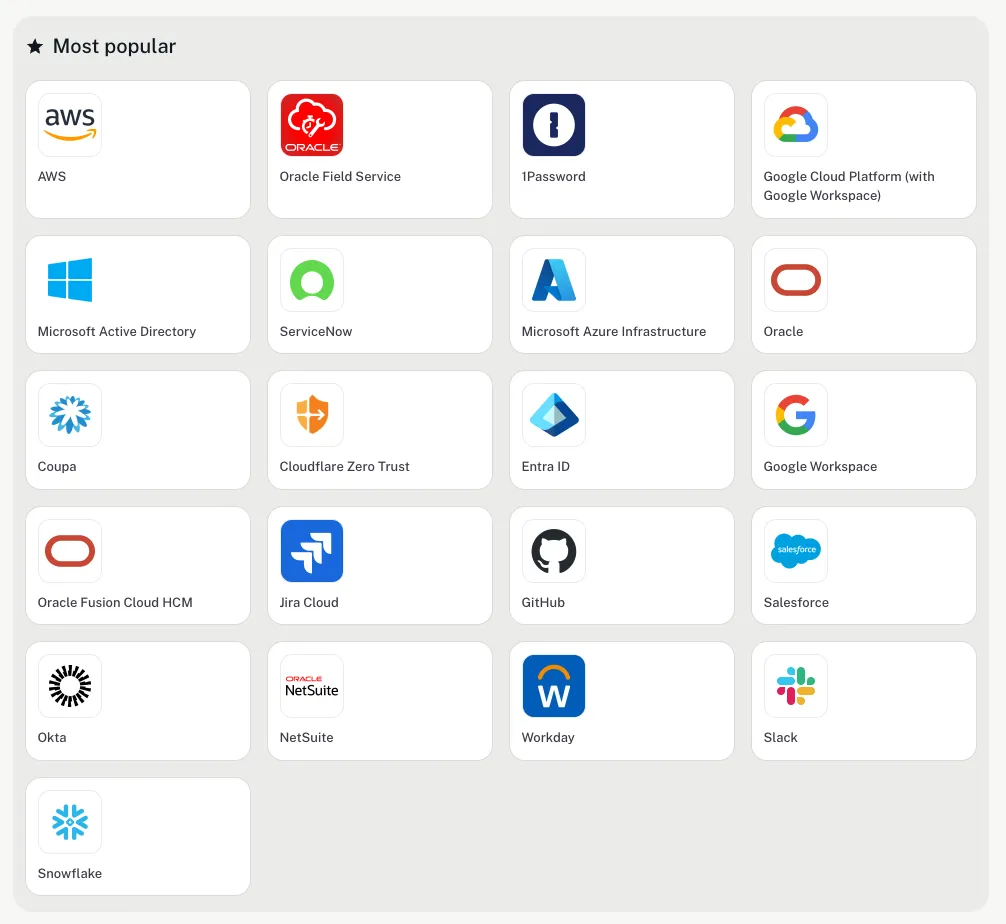
PRO TIP 💡: Don't treat your IdP as the complete picture. Most environments have SaaS apps, service accounts, and shared credentials that are outside your directory entirely. ConductorOne's connector ecosystem pulls access data from hundreds of cloud, on-prem, and homegrown systems into one inventory, so you get visibility into the gaps your IdP misses without spending weeks on manual discovery.
Phase 2: Policy definition and IAM technology selection#
This is where the strategy starts to take shape. You define the policies that govern how identities and access work across your organization, then you match those policies to the right technology.
The majority of teams do this in reverse. They start shopping for tools, get pulled into vendor evaluations, and write their policies around whatever platform they bought.
The policies you define at this stage should cover these areas:
| Policy area | What to define | Example |
|---|---|---|
| Access request and approval workflows | How employees request access, who approves it, how long approval takes, and what happens when it stalls | A developer requests access to a production environment. The request routes to the system owner, needs secondary approval from security, and expires if nobody acts within 48 hours. |
| Joiner/mover/leaver procedures | What happens at each stage of the identity lifecycle, who triggers it, and what the expected timeline looks like | A contractor's engagement ends on Friday. Deprovisioning kicks off automatically and all access gets revoked within 24 hours. |
| Authentication policies | MFA requirements, session length rules, and conditions that trigger step-up authentication | Accessing sensitive financial data needs MFA regardless of device or location. Standard SaaS tools require MFA at the start of each session. |
| Access review policies | How often reviews happen, who performs them, and what happens when access can't be justified | Privileged accounts get reviewed monthly by the system owner. Standard access gets reviewed quarterly by the employee's manager. Unjustified access gets revoked within 48 hours. |
| Exception handling | How out-of-policy access gets requested, approved, documented, and time-limited | A marketing lead needs temporary access to the analytics platform for a two-week campaign. The request gets approved by the data team, logged, and auto-expires after 14 days. |
| Privileged access policies | Rules for credential vaulting, just-in-time access, session monitoring, and approval workflows for elevated accounts | Nobody accesses the production database with standing credentials. Admins request just-in-time access, get approved by a peer, and sessions get recorded automatically. |
Think of these policies as the practical expression of the methodologies you chose. If the frameworks are the "what," the policies are the "how."
Your policies now become your buying criteria. If your offboarding policy mandates 24-hour deprovisioning for contractors, your platform needs to automate that based on contract end dates in your HR system.
If privileged accounts get reviewed monthly, your tool needs to find those accounts and route reviews to the right owners without someone manually pulling a list. The policies do the hard work of narrowing your options for you.
IAM technology evaluation checklist →#
Print this out or screenshot it before your next vendor call.
- Does the platform integrate with your existing IdP and HR system?
- Can it automate provisioning and deprovisioning based on lifecycle events?
- Does it support your chosen access model (RBAC, ABAC, or both)?
- Can it generate compliance reports and audit trails without manual effort?
- Will it scale with your projected growth in users, apps, and identity types?
- Does the vendor's roadmap align with where your program is headed?
Phase 3: Implementation roadmap#
This is where your strategy becomes operational. The temptation is to roll everything out at once, but that's how IAM implementations stall. A phased approach gives your team room to execute without overwhelming the organization.
Break the rollout into waves, prioritize based on your gap analysis, and make sure each wave has a clear scope and finish line before you move to the next one:
| Wave | Focus | Examples |
|---|---|---|
| Wave 1: Foundation and quick wins | Close your most important gaps and set up the building blocks that everything else depends on | Connect your IdP to your most critical systems. Enforce MFA across the organization. Automate offboarding for contractors and external identities. |
| Wave 2: Core policy enforcement | Roll out the policies you defined in Phase 2 and automate the workflows that support them | Launch access request and approval workflows. Automate joiner/mover/leaver processes. Implement your RBAC model across primary systems. |
| Wave 3: Advanced capabilities | Bring in the more complex pieces that need the foundation from Waves 1 and 2 to function properly | Roll out access reviews at scale. Implement PAM with just-in-time access and session recording. Introduce ABAC policies where RBAC doesn't cover the complexity. |
Make sure you define what "done" looks like before you move to the next wave. For Wave 1, that might mean 100% MFA adoption and zero active accounts for former contractors. Without clear criteria, waves bleed into each other and progress becomes hard to measure.
Realistically, a full rollout can take anywhere from six months to two years. The exact timeline depends on how many systems, identity types, and integrations you're working with. Get leadership aligned on that range early so the program doesn't lose support halfway through.
Change management note → Don't forget that new workflows change how people work day to day. If your access request process goes from a quick Slack message to a three-step approval chain, people will push back. Plan for training and communication upfront, and create a feedback loop so your team can make adjustments before small frustrations snowball.
Phase 4: Operating and evolving your program#
No IAM system runs on autopilot. Your workforce, your tech stack, and your compliance landscape all change over time, and your strategy needs to keep pace. Miss a few cycles and you'll find yourself back where you started.
The operational discipline behind a strong IAM framework comes down to checking these areas regularly:
- Access reviews: Quarterly for standard access, monthly for privileged accounts. Watch for permissions that don't match the person's current role and any accounts carrying more access than they need.
- Orphaned accounts: Monthly sweeps for accounts that should no longer exist. Former employees, expired contractors, and service accounts tied to projects that wrapped up months ago.
- Policy compliance: Quarterly check on whether your policies hold up in practice. When teams start routing around workflows because they feel too heavy, that's a signal to revisit the process.
- Privilege creep: Monthly review for users whose permissions have expanded over time through role changes, one-off requests, or temporary grants that nobody revoked.
Some changes shouldn't wait for the next scheduled review. These events should prompt an immediate look at your strategy:
- A major reorg that changes team structures or reporting lines
- An acquisition that brings in new systems, identities, and compliance obligations
- A migration to a new cloud environment or major platform change
- A failed audit finding tied to identity or access controls
- A security incident that traces back to compromised credentials or excessive permissions
These moments expose assumptions that no longer hold. The faster you respond, the less cleanup you're left with. And none of this happens on its own. Someone in your organization needs to own the IAM program end to end. Not just a tool or a policy, but the whole thing.
That person or team runs the monitoring cadence, acts on what they find, and decides when the strategy needs to evolve. Without that accountability, even the best programs slowly slide back into the reactive mess you worked so hard to fix.
Common pitfalls to avoid#
Building an IAM strategy is hard enough without repeating mistakes that other organizations have already made. These pitfalls can show up across companies of all sizes, and most of them are preventable:
- Buying tools before defining policies: This is the most common misstep. Teams evaluate platforms, sit through demos, and sign contracts before they've documented what they need the technology to do. The same Ponemon survey we referenced earlier found that while 83% of organizations have IAM policies in place or in development, only 28% have those policies integrated into their IAM solutions.
- Keeping lifecycle management manual: Manual provisioning and deprovisioning might work at 50 employees, but it falls apart at scale. If your joiner/mover/leaver process depends on someone remembering to submit a ticket, vulnerabilities are inevitable.
- Ignoring non-human identities: Most IAM strategies focus heavily on employees and overlook service accounts, API keys, bots, and machine identities. Research found that non-human identities outnumber human users by at least 45:1 in DevOps environments. Every unmanaged service account is a potential access path that nobody monitors or reviews.
- Neglecting third-party and vendor access: Contractors, vendors, and partners often get access through informal channels and sit outside your standard governance processes. SecurityScorecard's 2025 research shows that 35.5% of data breaches originate from third-party vectors, and that number keeps climbing. If your IAM strategy doesn't extend to external identities, you're leaving a major gap open.
- Treating IAM as a one-time project: Teams invest heavily in the launch, move on to other priorities, and stop paying attention. Roles change, new apps get adopted, policies go unenforced, and within a year the program looks exactly like what it replaced.
- Over-provisioning access because it's faster: Granting broad permissions during onboarding saves time upfront and creates risk that compounds quietly. Someone gets more access than their role needs, nobody circles back to tighten it, and six months later they carry permissions across systems they've never touched.
Execute your strategy with C1.ai#
A good IAM strategy gives you clarity on what needs to happen. C1.ai gives you the platform to make it happen.
C1.ai is an AI-native identity security platform purpose-built to manage every identity type across your environment from a single control plane. It connects to your full environment through hundreds of pre-built connectors and deploys in weeks, not the months-long rollouts that legacy IGA tools demand.
Here's how the platform supports every phase of the strategy we've outlined in this guide:
- Unified Identity Graph for full access visibility: ConductorOne pulls identity and access data from every connected system into a single, real-time view. You see who has access to what, how they got it, and whether that access still makes sense. That kind of comprehensive inventory is exactly what Phase 1 calls for, and most teams can't get there with manual discovery alone.
- Automated identity lifecycle management: When someone joins, changes roles, or exits, ConductorOne picks up the event from your HR system and runs the right provisioning or deprovisioning workflow on its own. The whole sequence fires without anyone submitting a ticket or remembering to revoke access manually.
- Just-in-time access to reduce standing privileges: Users can request temporary, time-bound access through Slack, Teams, a CLI, or the web app. The platform provisions access on approval and revokes it automatically when the window closes. You enforce least privilege without slowing people down every time they need something.
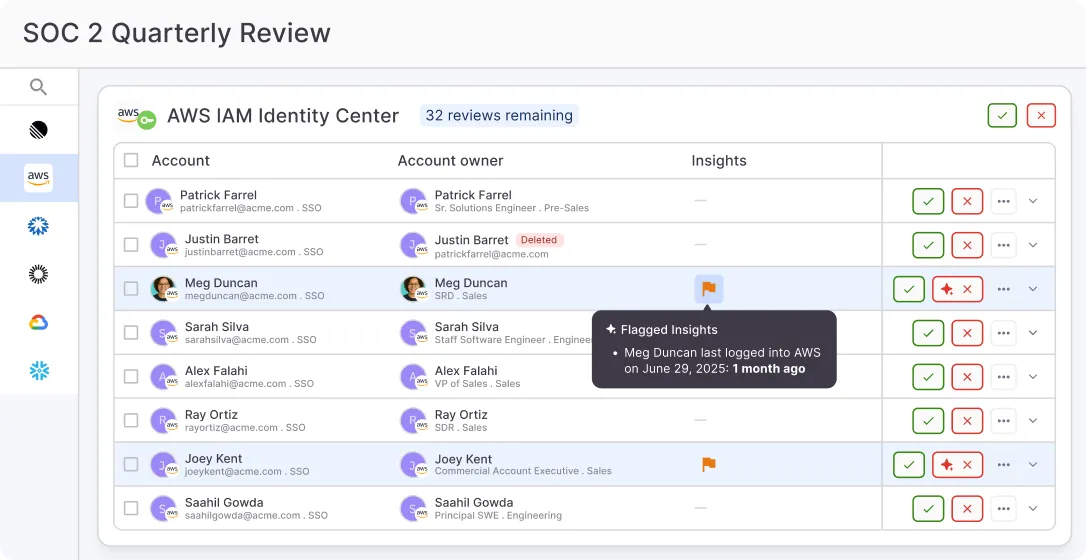
- Intelligent access reviews with AI recommendations: The platform automates access review campaigns end to end, from scoping and scheduling to reviewer assignments and remediation. AI recommendations flag the decisions that need human attention and auto-approve the ones that don't.
- Non-human identity governance: ConductorOne finds every service account, API key, token, certificate, and AI agent running in your environment and assigns a responsible owner to each one. Most organizations have far more non-human identities than human users, and the platform governs them with the same policies and review cycles you apply to your workforce.
- AI agents that handle access requests at scale: The platform's AI agents take access requests off your team's plate entirely for routine cases. Each agent follows the policies you define, routes approvals where they need to go, and provisions access without anyone working through a manual queue. You can set up separate agents for different departments or high-sensitivity apps and insert human approval at any step.
- Broad connector ecosystem for any environment: The platform plugs into your full stack through hundreds of out-of-the-box connectors that cover SaaS, cloud, on-prem, HRIS, and developer tools. When you need to connect a legacy or homegrown app, you can build a custom connector without writing code or use the open-source Baton SDK for deeper integrations.
An IAM strategy only holds up if you can execute it consistently across your full environment. C1.ai gives you one platform to manage the entire identity lifecycle, apply access policies, and stay audit-ready as your organization grows and your tech stack evolves.
Book a demo to see how C1.ai can support your IAM strategy from day one.
FAQs#
How does a modern IAM platform improve user experience without weakening security?#
A modern IAM platform streamlines how people get access to the tools they need. Instead of forcing employees to submit tickets and wait, the IAM platform handles user provisioning automatically based on user roles and lifecycle events.
That speeds things up for end users while giving security teams full control over digital identities across complex IT environments.
The end result is secure access that scales. You get better user experience and stronger scalability at the same time.
What role does IAM play in preventing security breaches and strengthening an organization's security posture?#
A well-executed IAM strategy strengthens your organization's security posture by reducing the surface area for unauthorized access.
It does this by governing every user account, enforcing the right level of access for each identity, and pointing out abnormal user activity and user behavior that could signal a compromised credential.
Pair that with regular audits and automated access reviews, and you close the gaps that lead to security breaches and data security failures before they compound.
How do you align IAM objectives with broader business goals?#
Start by mapping your IAM objectives to the business needs that matter most to your stakeholders — whether that's faster onboarding, cleaner audit trails, or tighter control over vendor access.
Your IT team should define user roles and access policies that reflect real workflows. If your stack includes platforms like Microsoft Entra ID alongside other tools, your strategy needs to cover all of them under one governance model.