> ## Documentation Index
> Fetch the complete documentation index at: https://www.c1.ai/docs/llms.txt
> Use this file to discover all available pages before exploring further.
# Non-human identities (NHI)
> See how C1 classifies and surfaces non-human identities across your connected sources.
The **Identities overview** dashboard gives you one place to see every identity C1 discovers across your connected sources — human and non-human alike — including a dedicated view for non-human identities (NHIs).
**NHI capabilities are under active development.** Classification, ownership, and policy support for non-human identities will keep expanding: follow the [release notes](/docs/product/release-notes) for updates.
## What counts as an NHI
In C1, a non-human identity (NHI) is a resource classified as one of the following:
* **App registration** — for example, an Entra enterprise app, OAuth app, GitHub App, or Databricks service principal.
* **Assumable role** — for example, an AWS IAM role or GCP workload identity.
* **Managed identity**
Service accounts, secrets, and agents are related but separate categories that C1 tracks on the same dashboard — see [Find identities across your environment](#find-identities-across-your-environment) below. They aren't classified as NHIs.
## Find identities across your environment
Navigate to **Identities** > **Overview** to view the dashboard. It has a tab for each identity category C1 tracks — **Human users**, **Service**, **Secrets**, **Agents** — plus a dedicated **NHI** tab scoped to the app registrations, assumable roles, and managed identities described above.
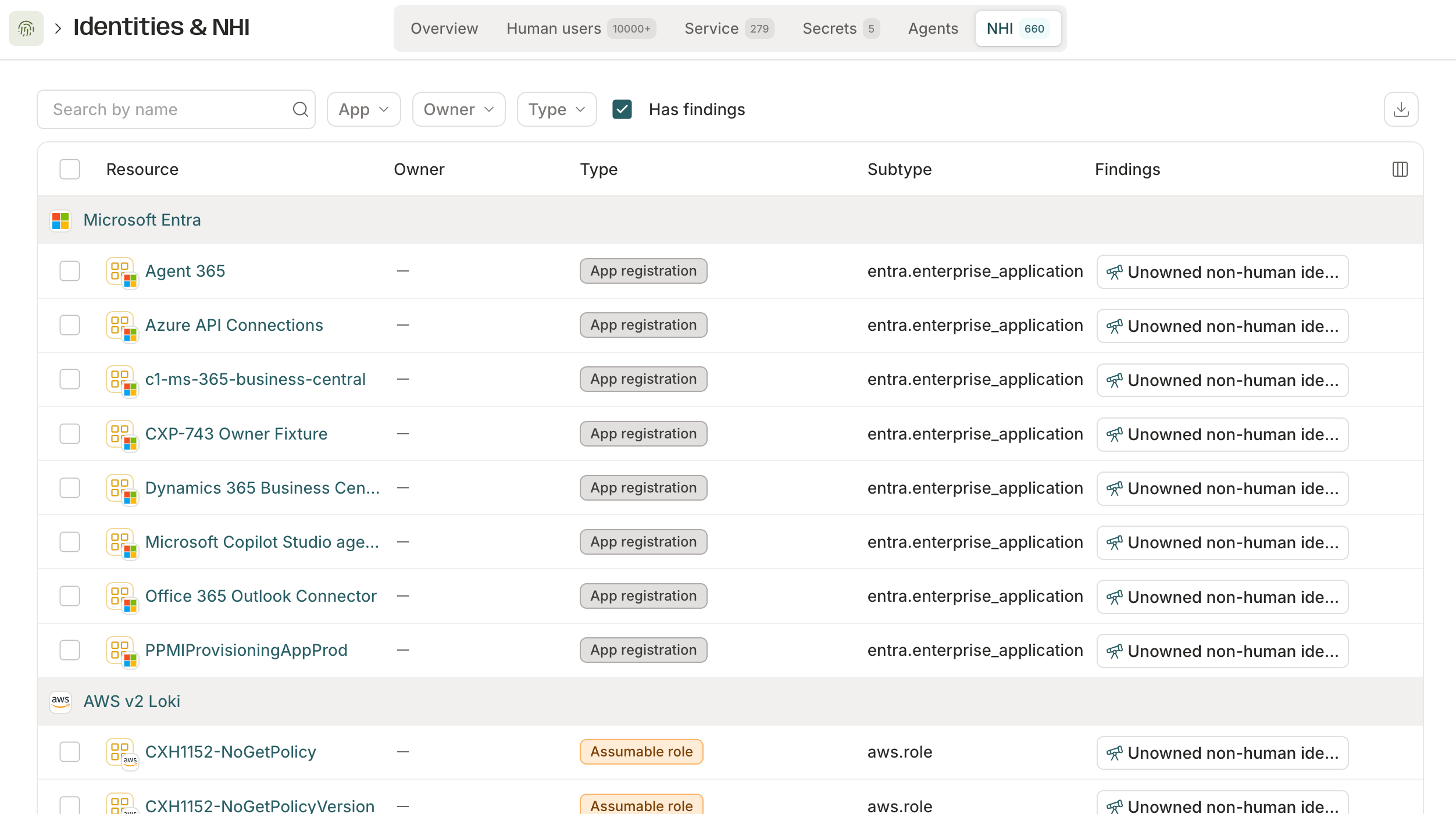 Each tab lists its identities grouped by the connected app they came from, with:
* **Type and subtype** — the resource's classification (app registration, assumable role, or managed identity) alongside a more specific detail string, such as `entra.enterprise_application` or `aws.role.lambda`.
* **Owner** — who owns the identity, if anyone. Unowned NHIs are one of the most common gaps this dashboard surfaces.
* **Findings** — any open [findings](/docs/product/admin/findings) tied to the identity, such as an unowned non-human identity.
Search by name, or filter by app, owner, type, or **Has findings** to narrow the list down.
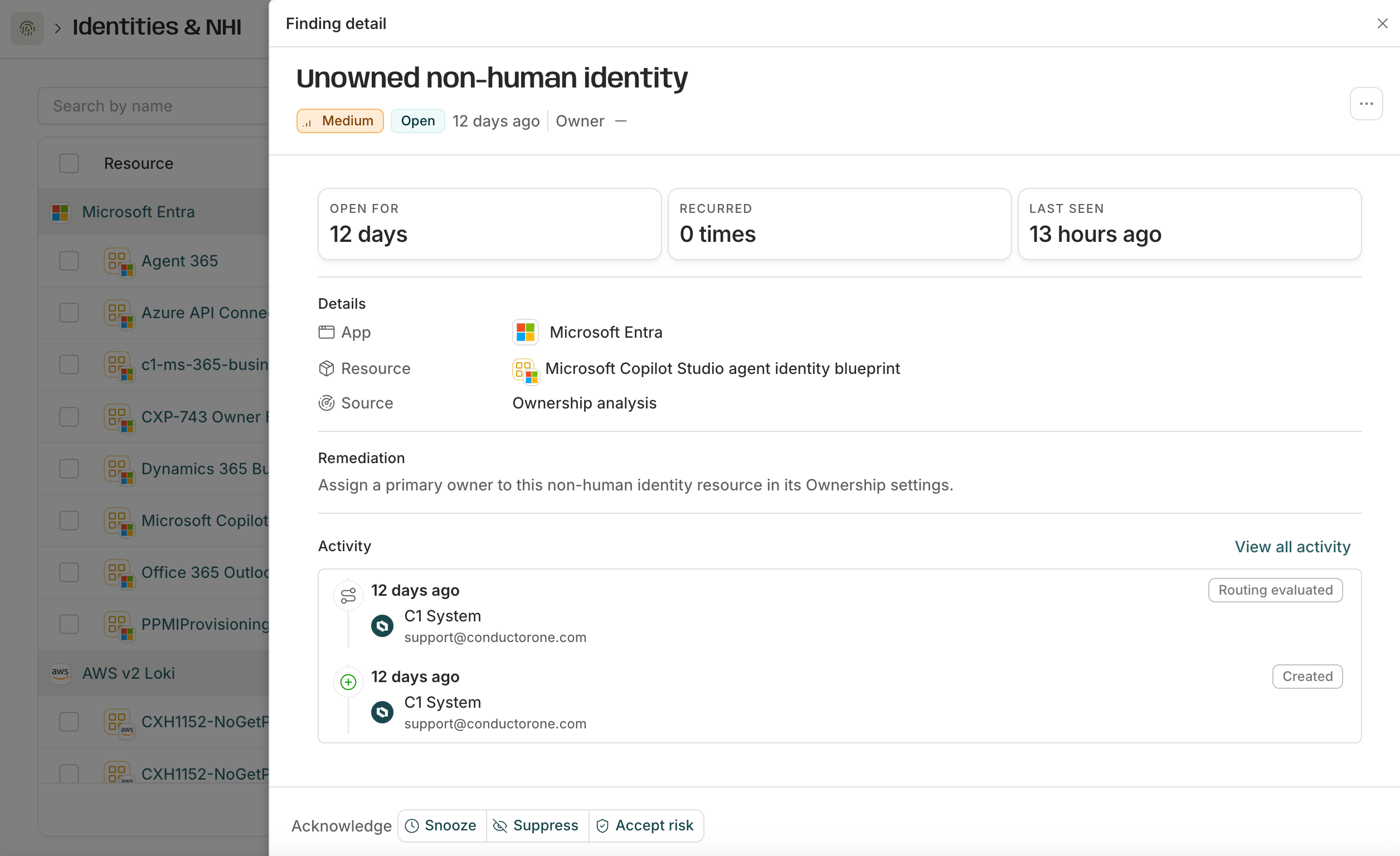
Click an identity's finding to open its detail view, with the same evidence, remediation guidance, and activity trail described in [Findings](/docs/product/admin/findings#work-with-a-finding).
Each tab lists its identities grouped by the connected app they came from, with:
* **Type and subtype** — the resource's classification (app registration, assumable role, or managed identity) alongside a more specific detail string, such as `entra.enterprise_application` or `aws.role.lambda`.
* **Owner** — who owns the identity, if anyone. Unowned NHIs are one of the most common gaps this dashboard surfaces.
* **Findings** — any open [findings](/docs/product/admin/findings) tied to the identity, such as an unowned non-human identity.
Search by name, or filter by app, owner, type, or **Has findings** to narrow the list down.
Click an identity's finding to open its detail view, with the same evidence, remediation guidance, and activity trail described in [Findings](/docs/product/admin/findings#work-with-a-finding).